Solar Resource Analyzer
Objective
The AGS - Analyseur de Gisement Solaire (Solar Resource Analyzer) - is a product composed of a tiltable solar panel. 
The goal of this project is to design several independent components:
- A graphical interface in LabVIEW to supervise the solar panel
- A microcontroller to read analog data using the ADC of a Microchip PIC18F45K20 microcontroller
- A filter to filter the analog signal, particularly disturbed by the 50 Hz mains frequency
And finally, project management, with the design of a Gantt chart. The project was carried out in a group of 3 people.
Implementation
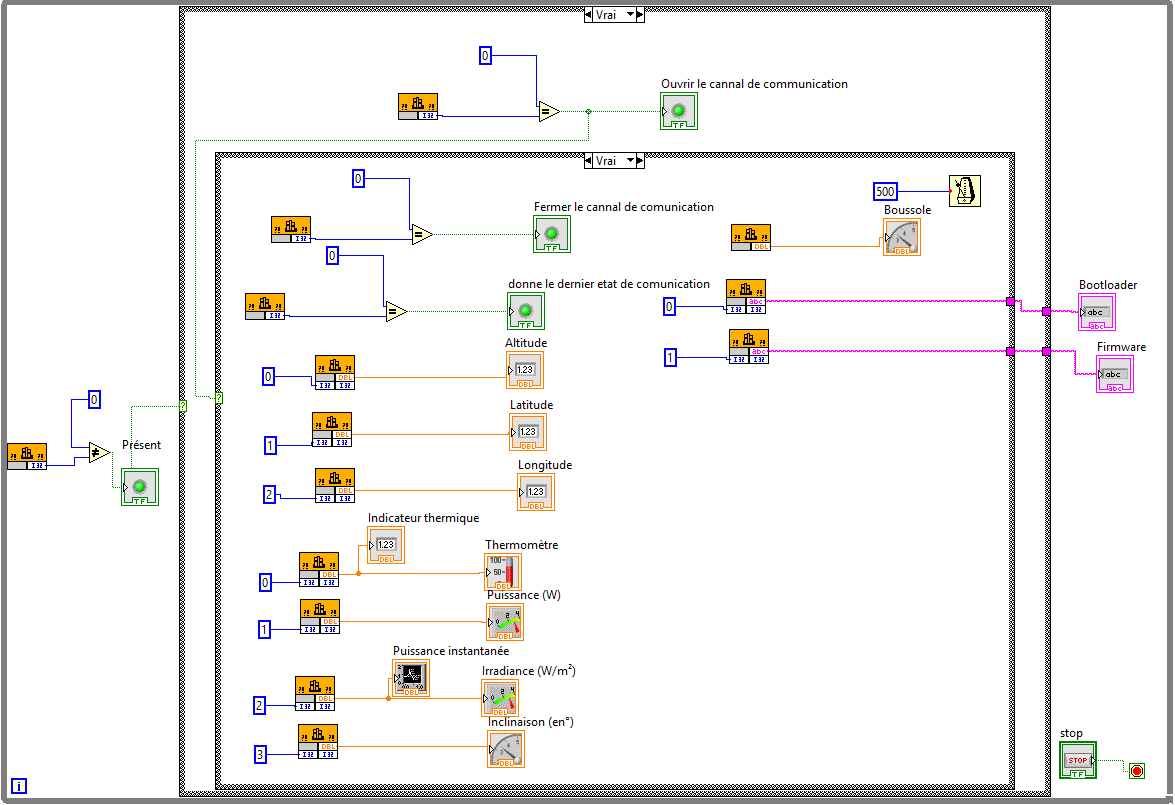
Graphical Interface
LabVIEW is a graphical programming language. I had never used it before, so I had to learn to use it.
A DLL was provided, offering different functions to communicate with the AGS. I therefore had to create a graphical interface to communicate with the AGS, and to visualize the data.
Click to display screenshots

Microcontroller
The microcontroller part consisted of reading analog data using the PIC18F45K20's ADC, and lighting certain LEDs according to the value read. I used the MPLAB X software to program the microcontroller in C.
To give the ADC time to sample the signal, I used a timer to trigger sampling every 10ms.
void temporisation(void)
{
    // configuration of the timer's initial content
    // to overflow after about 500ms
    TMR0H = OxE1;
    TMR0L = Ox7A;

    // start the timer
    T0CONbits.TMR0ON = 1;

    // wait until TMR0IF is no longer zero, so it has overflowed
    while(INTCONbits.TMR0IF == 0b0) {}

    if (INTCONbits.TMR0IF == 0b1)
    {
        // turn off and reset the timer
        TOCONbits.TMROON = 0b0;
        INTCONbits.TMROIF = 0b0;
    }
}Finally, you need to configure the ADC registers so that it works correctly, as well as the registers for the LEDs.
void main(void)
{
    // LED initialization
    TRISD = 0b00000000;
    PORTD = 0xFF;

    // ADC initialization on RA0
    initADC();

    // configure TMR0 in 16 bits and prescaler 1:16
    T0CON = 0b00000111;
    INTCON = 0x00; // reset the INTCON register

    while (1) {
        PORTD = ADC_read();
    }

}Click to display the code related to the ADC
void initADC(void)
{
    // ADC configuration
    ADCON1 = 0b00000000;
    ADCON2 = 0b00111000;
    ADCON0 = 0b00000001;
}

int ADC_read(void)
{
    ADCON0bits.GO_DONE = 1; // start the conversion
    while (ADCON0bits.GO_DONE == 1); // wait for the conversion to finish
    return ADRESH; // return the value read
}