Web interface for Dragonfly250 water detection system
To validate my second year of BUT GEII, I completed a 12-week internship at Adema REI. This company specializes in the design and manufacture of several products, including the Dragonfly250 water detection system.
Project presentation
The Dragonfly250 system centralizes water detection in a building. It communicates with several water detection modules. These modules are connected to the system via an RS485 bus and MODBUS communication. 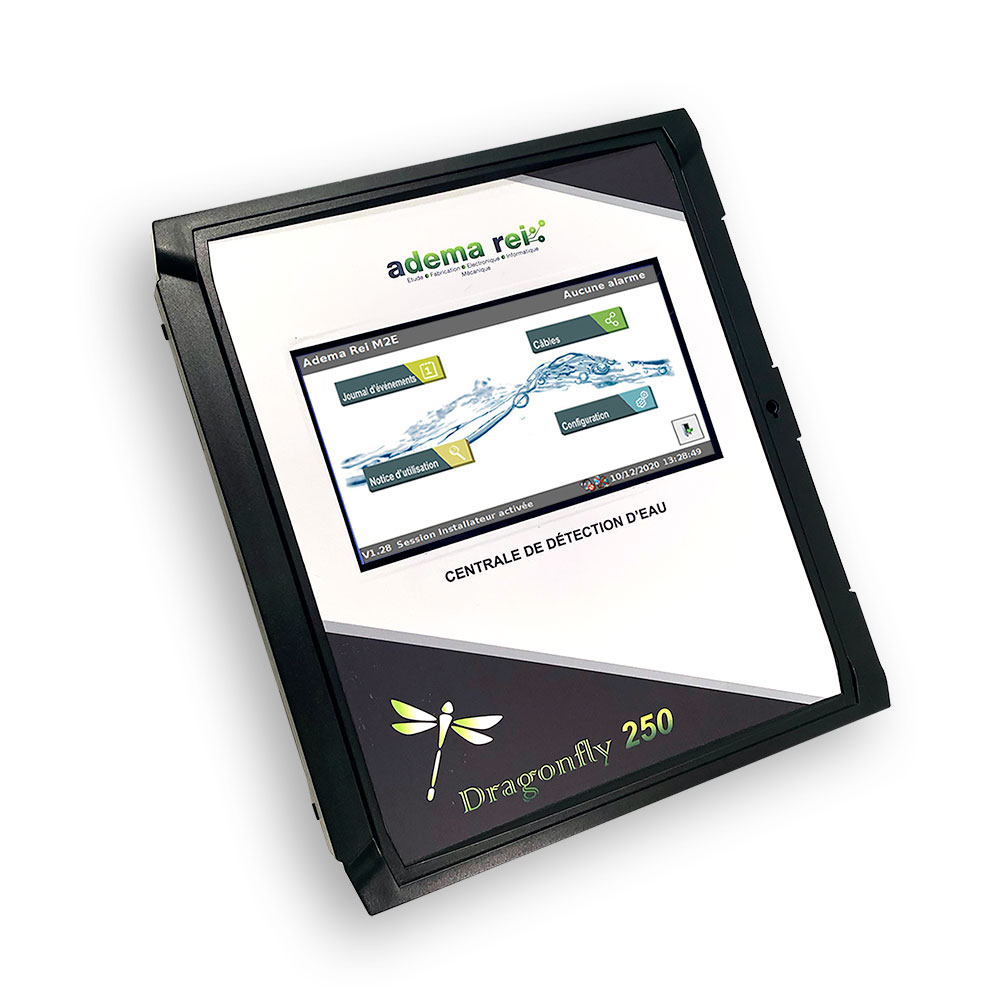
The system configuration is done through a touchscreen and an interface made in WinForms. This interface does not allow remote configuration of the system. The objective of my internship was therefore to create a web interface allowing remote configuration of the system, and to configure several systems at the same time.
Web interface presentation
Screenshot of the home page
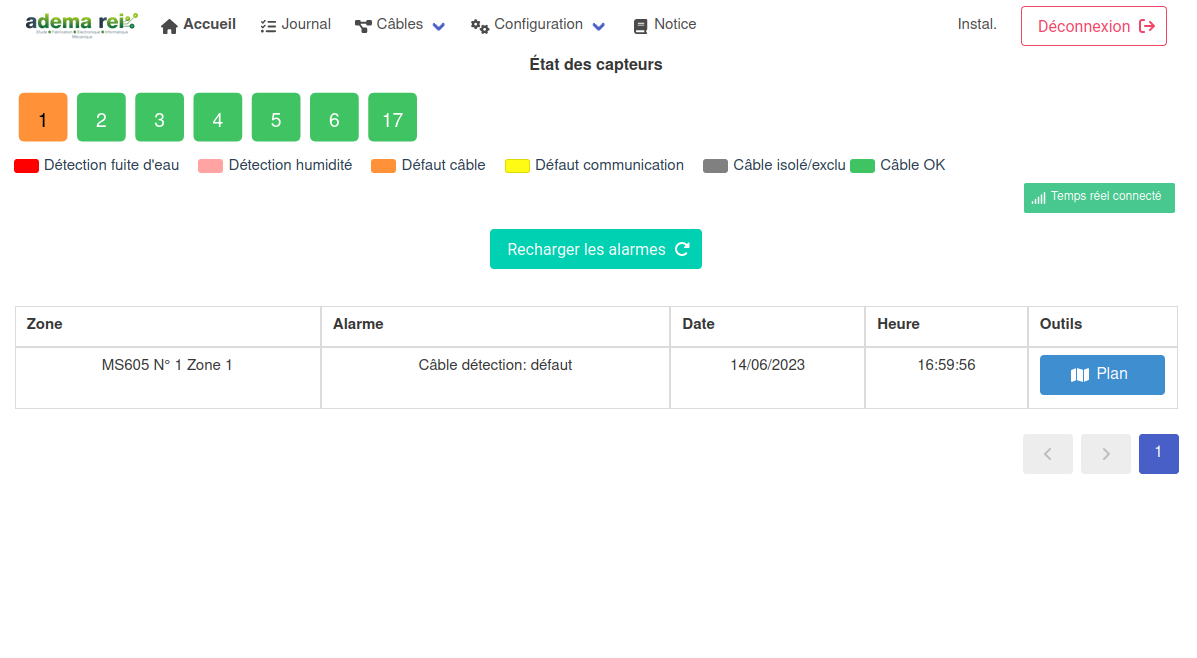
The web interface consists of several pages. The home page is accessible without login, and allows viewing the system status. Pressing the "Login" button, or anywhere on the page allows access to the login page. This is similar behavior to that of the system's home page.
Screenshot of the login page
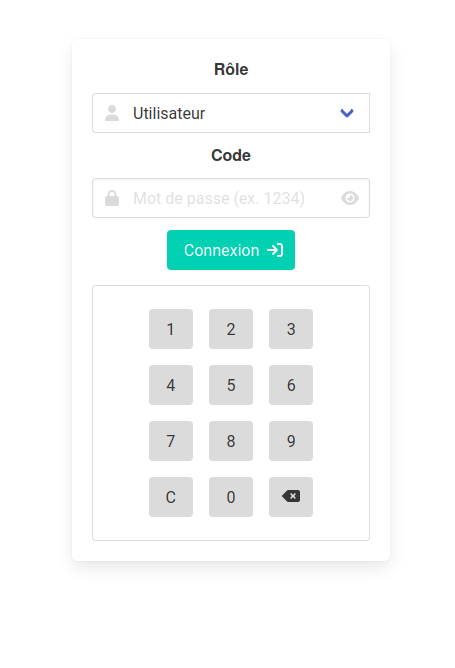
A numeric keypad is displayed to enter the code. It is more pleasant to type the code on the touchscreen rather than on the virtual keyboard in pop-up. This is a necessary adaptation to adapt the use of the web interface to the use on the system.
Screenshot of the "network" page
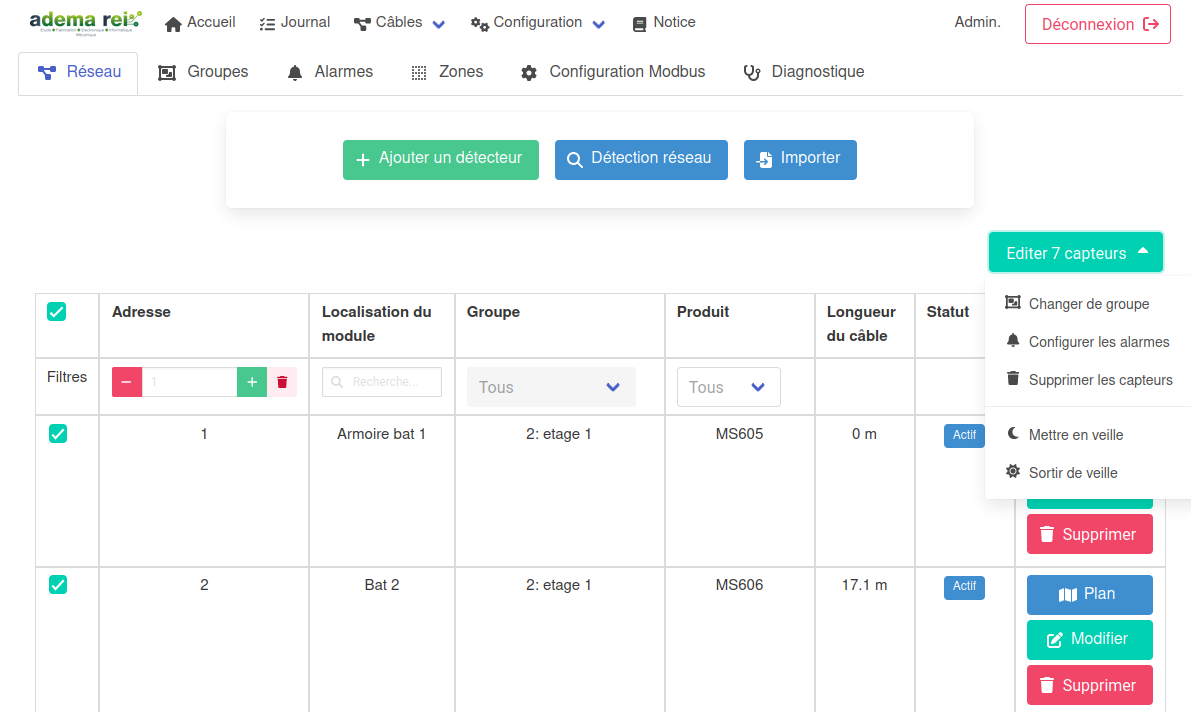
This page lists the modules connected to the system. Buttons allow you to configure or delete the different modules, or to launch a bus scan to detect unconfigured modules.
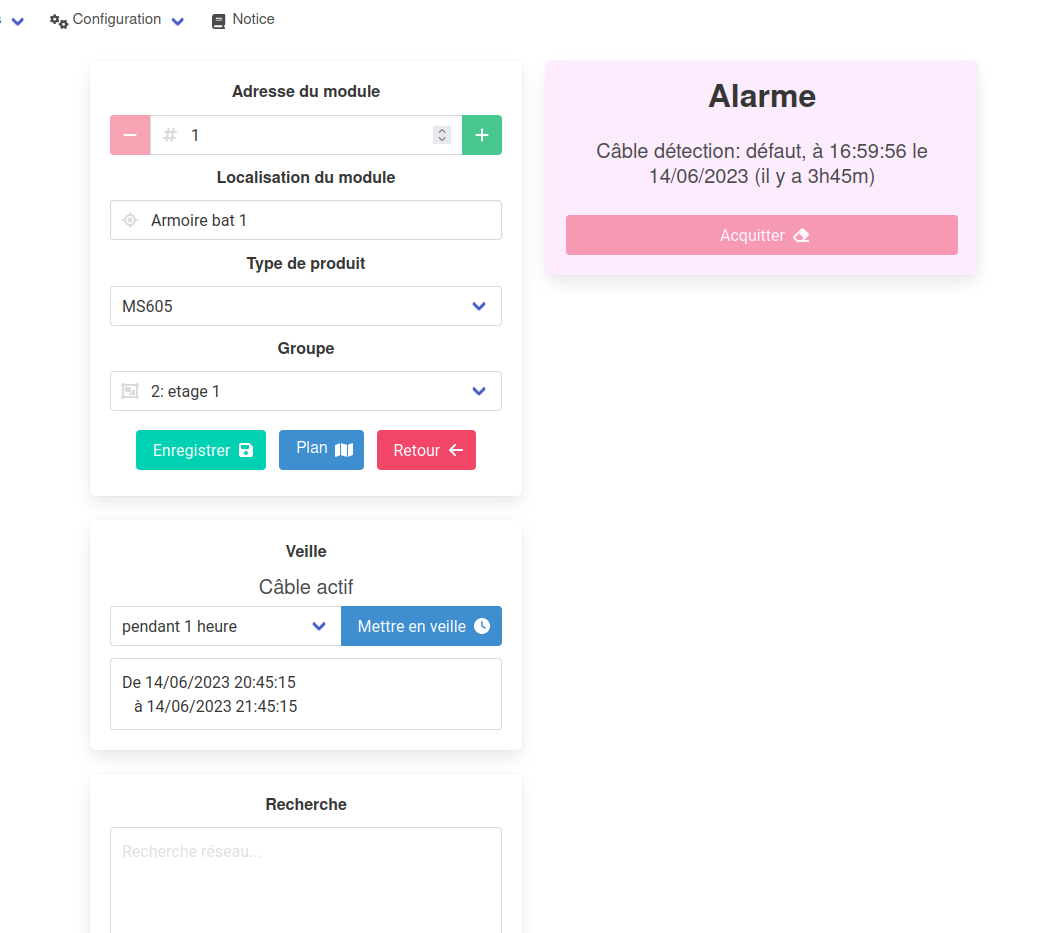
Screenshot of the "configuration" page
Technologies used
The web interface is developed in Vue.js 3, with the Oruga framework and the Bulma CSS framework. The interface communicates with the system via a REST API, developed in C# with the ASP.NET Core framework.
Authentication
Authentication is done with a JWT token. This token is generated by the system during login, and is stored in the system's memory. During login, the token is sent to the web interface, which stores it in the browser's local storage. With each request, the token is sent in the request header. The system verifies the token's validity, and returns an error if the token is not valid.
This project introduced me to JWT tokens, and what should and should not be done with them. I also discovered the inner working of middlewares in ASP.NET Core, which allow verifying the token with each request.
Storing the token in local storage is not a good practice, as it is accessible from JavaScript code. It is preferable to store the token in a cookie, which is not accessible from JavaScript code.
Communication with the system
This project introduced me to C# and ASP.NET Core. Since the application must work with Mono, I unfortunately could not use .NET Core. I therefore used ASP.NET Core 2.2, which is the last version compatible with Mono.
It is very simple to create a REST API with ASP.NET Core. You just need to create a controller, and add attributes to the methods to define the routes and HTTP methods. For example, the following method allows retrieving the list of modules connected to the system:
[HttpGet("modules")]
public ActionResult<List<Module>> GetModules()
{
    return _centrale.Modules;
}
Conclusion
I already had experience with the Vue.js 2 framework, but this project allowed me to discover version 3. I had to adapt to different development patterns, but the project was very interesting to carry out. I also discovered C# and ASP.NET Core, which are very interesting technologies.